 Coffee Tasting
Features
A cupping app built around the cupping sheet
Coffee Tasting is a coffee tasting journal for baristas, roasters, cuppers and home brewers. Here is everything it does today, described exactly as it works in the app.
Every field on the cupping sheet
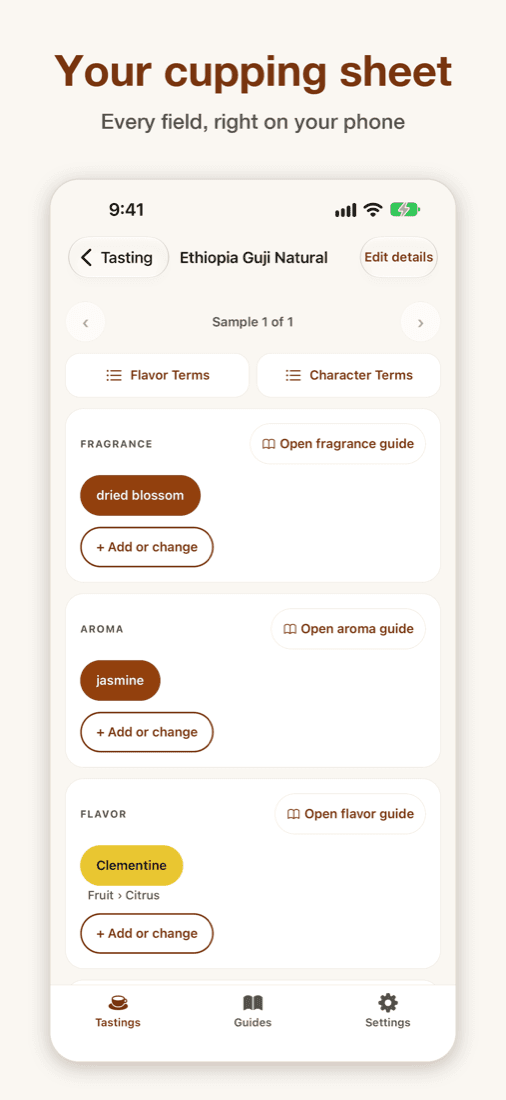
Each coffee gets the attributes professional cuppers record, laid out as cards you fill in one by one.
- Fragrance, Aroma and Flavor: pick notes at any depth, as many as you like.
- Aftertaste: notes plus length, from Quick to Lingering.
- Acidity: intensity, descriptors such as Bright, Crisp or Mellow, and acid type.
- Mouthfeel: body from Watery to Coating, plus texture.
- Uniformity, Clean Cup, Balance, Sweetness and Overall.
- Free-form notes for anything the lists can't say.
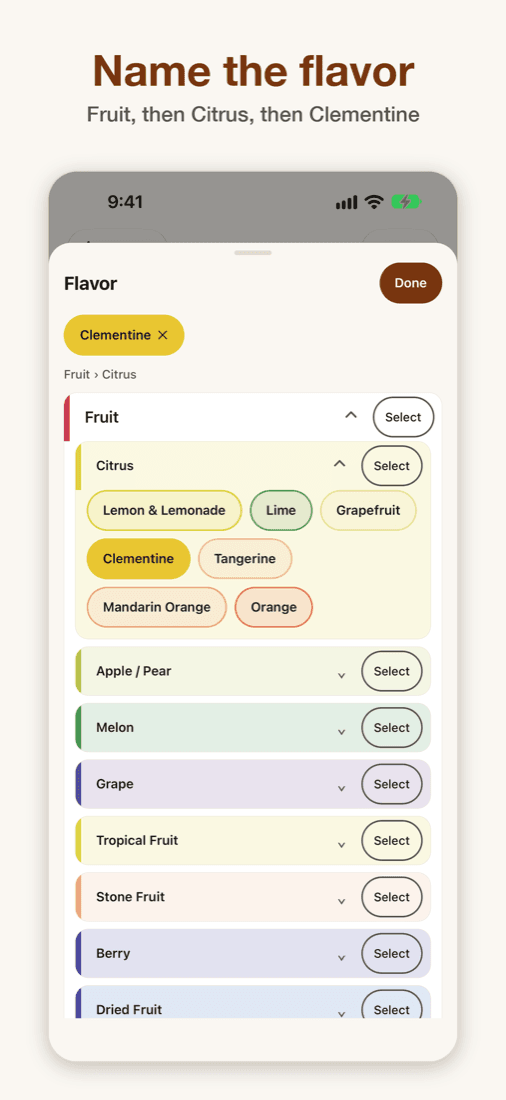
Drill down to the right word
Start broad and narrow down, the way a flavor wheel teaches, without a wheel to squint at.
- Start at Fruit, move to Citrus, land on Clementine, or stop wherever you're confident.
- Every field is a pick from a list, so typing is never required.
- Add your own word when the list doesn't have it; it comes back as a suggestion next time.
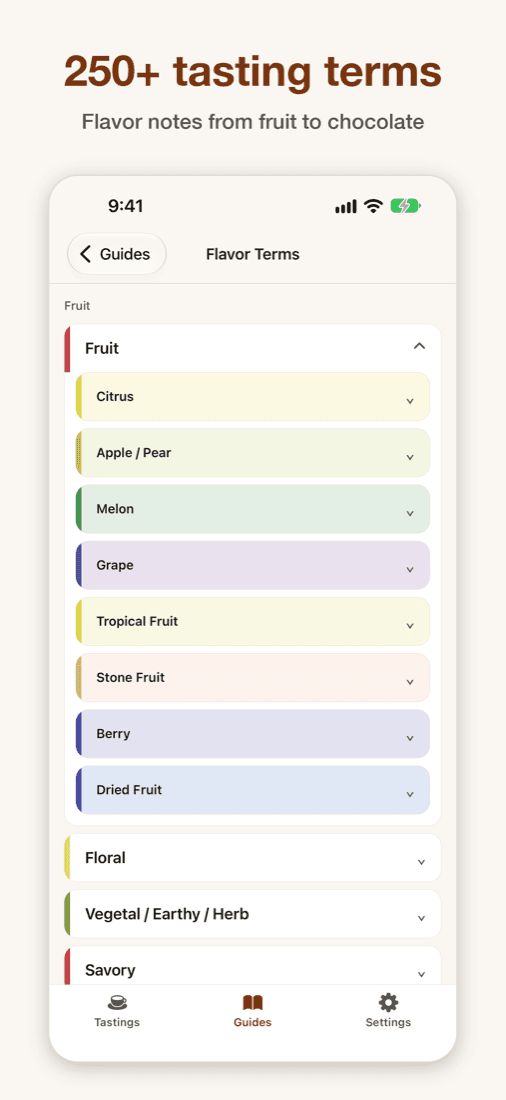
250+ flavor and character terms
Two built-in guides, Flavor Terms and Character Terms, teach the vocabulary as you taste.
- More than 250 terms, from fruit, floral, nutty and chocolate notes to acidity, body and finish, shown as colored lists.
- Tap the guide button on any field to jump straight to the words for that field.
- Sources are credited in the app under Settings, Legal, Acknowledgements.
Optional scores
Words come first. Scores are there when you want them.
- Tap Add score on Uniformity, Clean Cup, Balance, Sweetness or Overall.
- Score from 6.00 to 10.00 in quarter-point steps.
- See the total once all five are scored. It is a personal score, not an official SCA score.
Made for the cupping table
Built for real sessions with several coffees, not one cup at a time.
- Specialty coffee, espresso or filter: taste several coffees in one session.
- Add each coffee's name, region, species and where to buy it.
- Every change saves as you go. Solo tasting works offline.
- Light and dark mode, Dynamic Type and VoiceOver on iPhone and iPad, large text and TalkBack on Android.
Accounts, backup and sync
Sign in only if you want to. Solo tasting works without an account.
- Sign in with Apple or with a six-digit code sent to your email.
- Turn on backup to copy your tastings, coffees and notes to your account, so they follow you to another phone.
- Backup is off until you turn it on. Turning it off deletes the copy we hold; the tastings on your phone stay.
- Sign in on a phone where you used the app as a guest, and guest data such as an active subscription moves to your account.
- Delete your account and everything we hold at any time from Settings.
Private by design
Your tasting notes are yours.
- No account needed for solo tasting. Your tastings stay on your device.
- No ads, no tracking, no analytics.
- Crash reports are off unless you turn them on.
Group tasting
Host a session with up to 12 coffees and 20 people. Everyone joins free with a six-character code and tastes on their own phone. The host keeps each coffee’s details hidden, watches progress live, walks the group through the Characteristic Wall and reveals the answers.
How group tasting worksFree and Premium
Free
- Every feature of solo tasting
- Save up to three tastings
- Join group tastings
Premium
- Unlimited tastings
- Host group tastings (with a free account)
- Monthly or annual subscription through the App Store or Google Play
Prices are shown in the app and the store in your local currency.

Taste it, name it, keep it.
Free to download. Save up to three tastings free.

- Coming soon to the App Store